
Rockin Robin SongFlying The Web For News.
RobinPost Logo Amazon Prime Deals


Consumer News

What Is A Credit Card Grace Period? - Billing Advice

A credit card is somewhat of a double-edged sword by nature. It can help its holder accumulate rewards — like cash back points or travel miles — and break up large purchases into more manageable payments as needed. But it can also serve as a gateway to debt, thanks to its revolving nature and high interest rates.

Knowing how to use credit effectively can help you maximize the benefits you get from your card and minimize the downsides. A great example here is knowing how to take advantage of credit card grace periods.

Here’s more.
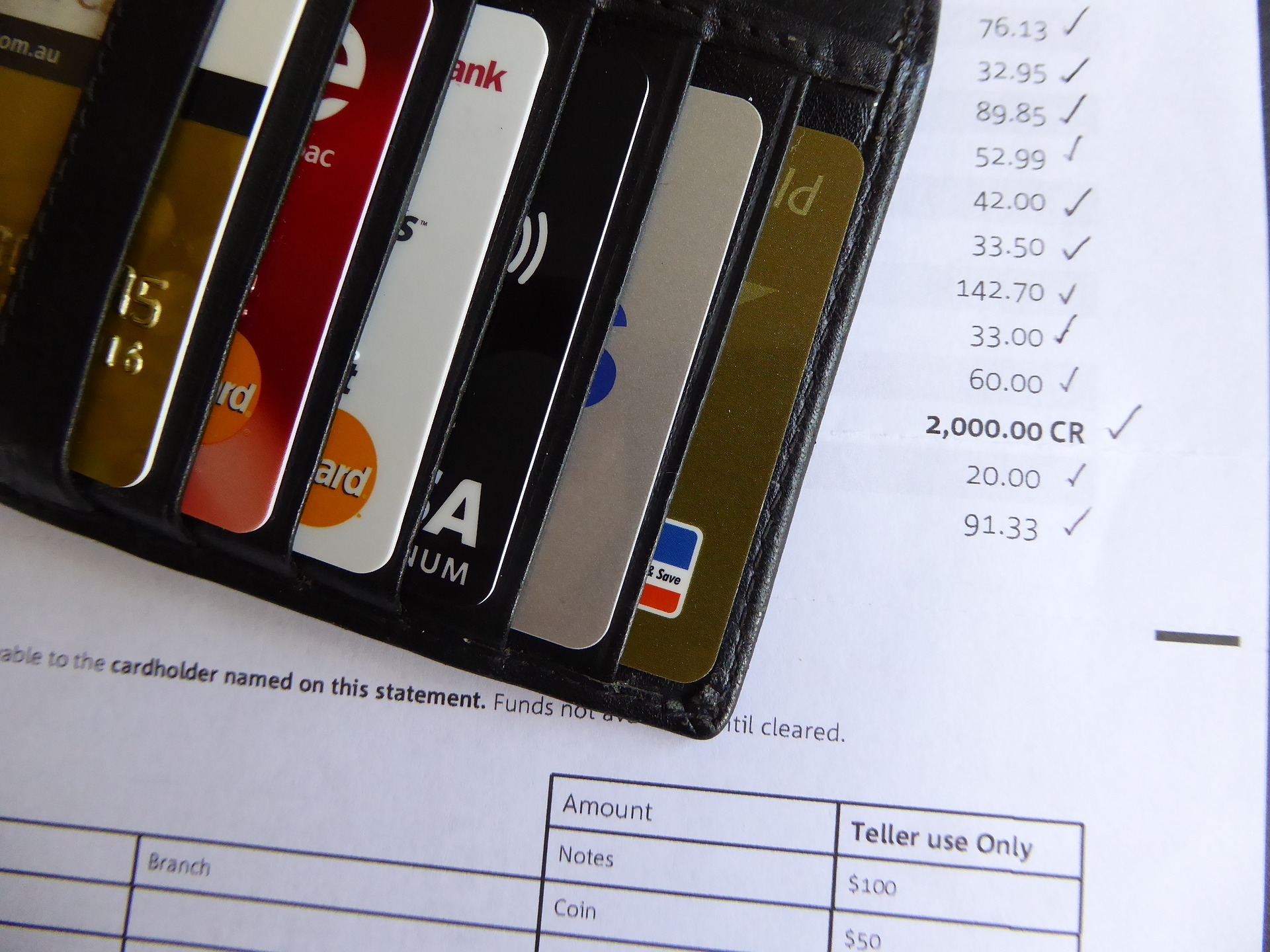
What Is A Credit Card Grace Period?

Photo By Pixabay

How Credit Card Grace Periods Work

When you receive a credit card bill in the mail or online, you’ll notice the actual billing period is for a range of dates from the past. That’s because credit does not work in real time; there’s a lag between when a billing cycle ends and when your payment comes due. As NerdWallet notes, creditors must provide cardholders their statements at least 21 days before the bill is due, although some offer a longer time frame between billing and requiring payment. You may even be able to lengthen this timeframe by requesting a due date later in the month, depending on your lender.

This window of time is known as the grace period because you won’t have to pay any interest on your purchases during this time. Cardholders able to pay off their entire balances during this grace period won’t have to deal with interest accruing on their accounts.

It's important to note not all credit cards have a grace period — and that this interest-free window generally applies to purchases only, not balance transfers for cash advances.

What Happens If You Carry a Balance?

Carrying a balance past the end of the grace period means you will start accumulating interest charges — and failing to make at least the minimum payment due will tack on late fees, too. It’s also worth noting carrying a balance may essentially cancel your grace period until you meet certain criteria, like paying off your bill in full for two billing cycles in a row. You’ll have to refer to your cardholder agreement to learn the exact terms of your grace period and how to reinstate it.

Credit card interest can be a very tough adversary to vanquish — just ask anyone who’s ever had to undergo debt settlement or bankruptcy to tackle it. Many Freedom Debt Relief reviews contain a similar story: A cardholder gradually fell behind on payments and got swamped by the interest continually accumulating in the background until they had no feasible way to pay it down on their own.

Given the average credit card interest rate hovers around 20 percent, it’s important to understand credit card grace periods and to take advantage of them whenever possible. Carrying interest means a portion of every payment starts to go toward covering interest rather than covering your balance, so you can really end up paying for the money you borrowed.

Perhaps the most straightforward way to ensure you consistently make use of your grace period is to set up autopay and charge only what you can afford to pay off in full each month. This will help you avoid accidentally skipping a payment or getting to the end of the month and finding you lack the funds to pay off your balance.

A credit card grace period is a 21-day span (or slightly longer) between when a credit card billing cycle ends and when the payment is due. If you can tackle your balance during this timeframe, you can avoid paying costly interest on your purchases.



More News From This Category
Product Review: New Google Ad Shows a Mysterious Wearable. Is It the Next Fitbit?
Wed, 19 Aug 2026 01:08:04 +0000
Earlier this month, Google announced multiple new devices at its Made by Google event, including Pixel 11 phones and the Pixel Watch 5. Back in May, the company also released its screenless Fitbit Air health tracker.
New Google Ad Shows a Mysterious Wearable. Is It the Next Fitbit?

Photo By CNET

Read More ...


Product Review: Polaroid Put Pikachu on a $100 Camera Because Nostalgia Works
Wed, 19 Aug 2026 01:08:04 +0000
I haven’t played Pokemon since I was a kid. I remember it being fun, playing on the floor at my local video game store. I remember all of the original 151 Pokemon — blade-armed mantis Scyther was my favorite. I played Pokemon Snap on my N64. That is about where my current knowledge ends.
Polaroid Put Pikachu on a $100 Camera Because Nostalgia Works

Photo By CNET

Read More ...


Product Review: Are People Really Expecting Apple’s First Foldable iPhone Next Month? CNET Readers Chime In
Wed, 19 Aug 2026 01:08:04 +0000
Apple’s first foldable iPhone could be revealed in a few weeks to join the competition among Google’s Pixel Fold and the Galaxy Z Fold lineups. Apple usually announces new features and hardware at the September showcase, and there are plenty of surprises since the tech giant keeps its announcements under wraps until the big reveal.
Are People Really Expecting Apple’s First Foldable iPhone Next Month? CNET Readers Chime In

Photo By CNET

Read More ...


Product Review: Could Your Next Apple Phone Be a Foldable? Here’s What We Know About the iPhone Ultra or iPhone Fold
Wed, 19 Aug 2026 01:08:04 +0000
Now that Samsung has announced the Galaxy Fold 8 and Z Fold 8 Ultra, it’s time to focus attention on Cupertino, California, to see if Apple is at last going to release a foldable iPhone of its own. All signs currently point to yes.
Could Your Next Apple Phone Be a Foldable? Here’s What We Know About the iPhone Ultra or iPhone Fold

Photo By CNET

Read More ...


Consumer News: The 8 best FREE streaming services: Skip the monthly bills without sacrificing great TV
Wed, 19 Aug 2026 01:07:07 +0000

Free TV is having a comeback and it's better than you think

By Kyle James of ConsumerAffairs
August 18, 2026
  • Free streaming is getting surprisingly good, with services like Tubi, Pluto TV, and Philo offering thousands of shows, movies, and live channels.

  • Your library card can unlock even more, including commercial-free movies on Kanopy, as well as movies, audiobooks, ebooks, and music through Hoopla.

  • Mix free and paid streaming to cut costs, keeping one favorite subscription while using free services to fill the gaps.


Remember when cutting the cord was supposed to save money?

For millions of Americans it diduntil streaming subscriptions started piling up. Netflix. Disney+. HBO Max. Hulu. Peacock. Paramount+. Apple TV+. Before long, many households are spending well over $100 a month just to watch TV.

Fortunately, there's another option, as free streaming has exploded over the past few years, thanks to what's known as FAST (Free Ad-Supported Streaming TV).

And to be 100% honest, some of these even rival popular paid streaming services. Here are the eight free streaming apps worth downloading today.

1. Tubi Best overall

If you only install one free streaming service, make it Tubi.

Owned by Fox, Tubi has become the closest thing you'll find to a free version of Netflix. Its catalog includes tens of thousands of movies and TV episodes covering nearly every genre imaginable action, comedy, horror, documentaries, anime, reality TV, kids programming, and a growing lineup of Tubi Originals.

One of Tubi's biggest advantages is simplicity. You don't need to create an account, enter a credit card, or even provide an email address. Just download the app and start watching. If you do sign up for a free account, you'll unlock watchlists, recommendations, and the ability to continue watching across multiple devices.

The recommendation engine is surprisingly good, helping users uncover older movies and forgotten TV series they might otherwise miss.

Best for:

  • Movie lovers

  • Families

  • Horror fans

  • Anyone replacing Netflix

Pros:

  • Massive on-demand library

  • Easy-to-use interface

  • No account required

  • Available on nearly every device

Cons:

  • Commercial breaks

  • Limited brand-new releases

Bottom line: Tubi remains the benchmark that every other free streaming service is chasing.

2. Pluto TV Best cable replacement

If you miss flipping through channels instead of endlessly browsing menus, Pluto TV may become your new favorite app.

Owned by Paramount, Pluto pioneered the FAST model and now offers hundreds of live channels covering everything from sitcoms and crime dramas to cooking shows, sports highlights, reality TV, local news, and classic movies. It also includes an extensive on-demand library for viewers who prefer watching on their own schedule.

Unlike most streaming services, Pluto feels remarkably similar to traditional cable. Open the app and you're immediately watching television instead of scrolling through endless recommendations.

It's ideal for people who like having something on in the background or simply enjoy channel surfing.

Best for:

  • Former cable subscribers

  • News junkies

  • Live TV fans

  • Classic television

Pros:

  • Hundreds of live channels

  • Cable-style program guide

  • Large movie library

  • No account needed

Cons:

  • Can't pause or restart live channels

  • Some channels repeat programming

Bottom line: If you miss the simplicity of cable but not the monthly bill, Pluto TV is the closest replacement you'll find.

3. Philo Best new free streaming service

Most consumers know Philo as one of the least expensive live TV subscriptions.

What many don't realize is that the company now offers an impressive free service featuring more than 150 live ad-supported channels along with thousands of on-demand movies and television shows.

Even better, you don't need to register to start watching. No credit card. No subscription. No hidden trial.

Simply open the app or visit the website and begin streaming.

If you decide to create a free account using just your email address, you'll unlock one of the most unique features in free streaming: an unlimited 30-day DVR for free channels. You can also create up to ten viewer profiles, save favorite channels, and receive personalized recommendations.

That's functionality many paid streaming services don't even offer.

Best for:

  • Live entertainment

  • Lifestyle programming

  • Reality TV

  • Families

Pros:

  • 150+ live channels

  • Thousands of on-demand titles

  • Unlimited 30-day DVR

  • No login required to watch

Cons:

  • Not much live sports

  • Smaller movie library than Tubi

Bottom line: Philo has quietly become one of the biggest success stories in free streaming.

4. The Roku Channel Most underrated

One of the biggest misconceptions in streaming is that you need a Roku device to use The Roku Channel. You don't.

The service works on smartphones, tablets, browsers, many smart TVs, and competing streaming devices, giving nearly anyone access to its growing collection of live channels, movies, television shows, and Roku Originals.

The interface is polished and easy to navigate, making it especially attractive for viewers who aren't particularly tech savvy.

Roku has also done an excellent job licensing recognizable movies and television shows, giving the service a more premium feel than many free competitors.

Best for:

  • Families

  • Casual viewers

  • Live TV

  • Roku owners

Pros:

  • Excellent interface

  • Strong live TV lineup

  • Roku Originals

  • Available beyond Roku devices

Cons:

  • Original programming remains limited

  • Some content rotates frequently

Bottom line: Easily one of streaming's most overlooked free services.

5. Kanopy Best for movie lovers

If Hollywood blockbusters aren't your thing, Kanopy may become your favorite streaming service.

Available through participating public libraries and universities, Kanopy specializes in award-winning independent films, foreign cinema, documentaries, educational programming, and many Criterion Collection titles.

Even better? There are no commercials.

Instead of showing advertisements, Kanopy is funded through participating libraries, making it feel more like a premium streaming service than a free one.

The only downside is that most libraries limit how many titles you can stream each month.

Best for:

  • Film buffs

  • Documentary fans

  • College students

  • Families

Pros:

  • No advertising

  • Award-winning films

  • Excellent documentaries

  • High-quality educational programming

Cons:

  • Requires a participating library card

  • Monthly viewing limits

Bottom line: Kanopy is arguably the highest-quality free streaming service available.

6. Hoopla Best library bonus

Many people discover Hoopla while looking for ebooks. Then they realize it also includes movies, television shows, audiobooks, music, comics, and educational videos.

Like Kanopy, Hoopla partners with public libraries, meaning your library card unlocks an incredible amount of digital content.

One major advantage over Libby is that most Hoopla titles are available immediately without long wait lists. It's almost like having Netflix, Audible, and Spotify rolled into one library benefit.

Best for:

  • Families

  • Readers

  • Audiobook listeners

Pros:

  • Movies and television

  • Audiobooks and ebooks

  • Music and comics

  • Instant borrowing

Cons:

  • Library participation varies

  • Monthly borrowing limits

Bottom line: If your library offers Hoopla, you're already paying for it through your local taxes so you might as well use it.

7. Plex Best for power users

Plex started life as software that organized your personal movie collection. Today it's become much more than that.

Alongside its famous media-server features, Plex now offers free live television channels, movies, and television shows inside a single app.

Its biggest strength is convenience. If you have your own digital movie collection, Plex combines your personal library with free streaming services, rentals, and recommendations in one place.

It can feel overwhelming at first, but advanced users love the flexibility.

Best for:

  • Tech enthusiasts

  • Home media collectors

  • Live TV

  • Movie fans

Pros:

  • Combines personal and streaming libraries

  • Live channels

  • Cross-platform support

  • Powerful organization tools

Cons:

  • Steeper learning curve

  • Interface can feel busy

Bottom line: No other free streaming service offers as much flexibility.

8. PBS App Best educational streaming

Not every streaming service needs superhero movies. Sometimes you want something you'll actually learn from.

The PBS app delivers exactly that, offering acclaimed series like Frontline, NOVA, Nature, American Experience, children's programming, and many Ken Burns documentaries.

Parents will appreciate the large collection of educational children's content, while adults can spend hours exploring science, history, politics, and culture.

Some newer content eventually moves behind the optional PBS Passport membership, but there's still an enormous amount available completely free.

Best for:

  • Families

  • Documentary lovers

  • Parents

  • History buffs

Pros:

  • Outstanding educational content

  • Excellent children's programming

  • Trusted journalism

  • High production quality

Cons:

  • Some newer titles require Passport

  • Not designed for blockbuster entertainment

Bottom line: Every household with kids should have the PBS app installed.

Five smart streaming tips

  1. Pair Tubi with Pluto TV. Together they offer one of the best combinations of on-demand movies and live television available anywhere, and yes, both are completely free.

  2. Don't overlook your library. A single library card may unlock both Kanopy and Hoopla, giving you access to premium movies, documentaries, ebooks, and audiobooks at no additional cost.

  3. Mix free and paid services. Instead of paying for six subscriptions all year, consider keeping one favorite paid service and supplementing it with several free apps.

  4. Expect some commercials. These services are supported by advertising, but most viewers find the ad load lighter than traditional cable TV.

  5. Check before renting. Before paying to rent a movie, search Tubi, Pluto TV, or The Roku Channel. You may find it's already available for free.

Read More ...


Related Bing News Results
Consumer Reports: Don’t skip the salad, but change the way you wash it
Tue, 18 Aug 2026 06:14:00 GMT
Consumer Reports says salad doesn’t have to come off the menu. Carefully preparing salad greens and other produce can help protect you and your family.

Consumer Reports analysis of multiple at-home hair dyes and hair chalk found issues with all of them
Sat, 18 Apr 2026 00:59:00 GMT
It can be fun to switch up your personal aesthetic with hair dye whether it’s refreshing your natural hair color or making a bold color change. However, there’s a bit of bad news. A Consumer Reports ...

Consumer Spending, Engine of the U.S. Economy, Is Under Strain
Fri, 10 Apr 2026 02:02:00 GMT
Higher fuel costs are raising food and travel prices, while a shaky stock market tamps down free spenders. By Lydia DePillis Angie Howard lives in a walkable neighborhood in Portland, Ore., and works ...

Unilever’s $16 billion move shows a shift is happening in consumer products
Tue, 31 Mar 2026 07:00:00 GMT
Unilever's plan to merge its food business with spice maker McCormick comes as the consumer products sector is fighting to stay relevant. The growth model that has powered big consumer goods companies ...

Consumer sentiments are shifting. It could force a strategy change for business owners.
Wed, 14 Jan 2026 05:36:00 GMT
To continue reading this content, please enable JavaScript in your browser settings and refresh this page. Preview this article 1 min Consumer sentiments declined ...


Blow Us A Whistle


RobinsPost Print On Demand Refund Policy With Printify
Printify

Related Product Search/Búsqueda de productos relacionados

Amazon Logo